



















Best Construction ERP Systems: Top 10 Ranked & Reviewed
Top 10 construction ERP software compared head-to-head — see which fits your firm best with expert verdicts, deep features, and real-world strengths

Table of Contents
- 1️⃣ CMiC ERP
- 🆚 CMiC vs Sage 300
- 🆚 CMiC vs Viewpoint ERP
- 🆚 CMiC vs Acumatica
- 🆚 CMiC vs Jonas ERP
- 🆚CMiC vs PENTA ERP
- 🆚 CMiC vs Oracle NetSuite ERP
- 🆚CMiC vs Infor CloudSuite Construction
- 🆚 CMiC vs SAP ERP
- 🆚 CMiC vs IFS Cloud ERP
- 2️⃣ Sage 300 Construction & Real Estate
- 3️⃣ Viewpoint ERP
- 4️⃣ Acumatica Construction Edition
- 5️⃣ Jonas ERP
- 6️⃣ PENTA ERP
- 7️⃣ Oracle NetSuite ERP
- 8️⃣ Infor CloudSuite
- 9️⃣ SAP S/4HANA for Construction
- 🔟 IFS Cloud ERP
- ✓ YouConclude More
-
1️⃣ CMiC ERP
Built for Complete Construction Workflow Control
🔷 CMiC ERP Overview
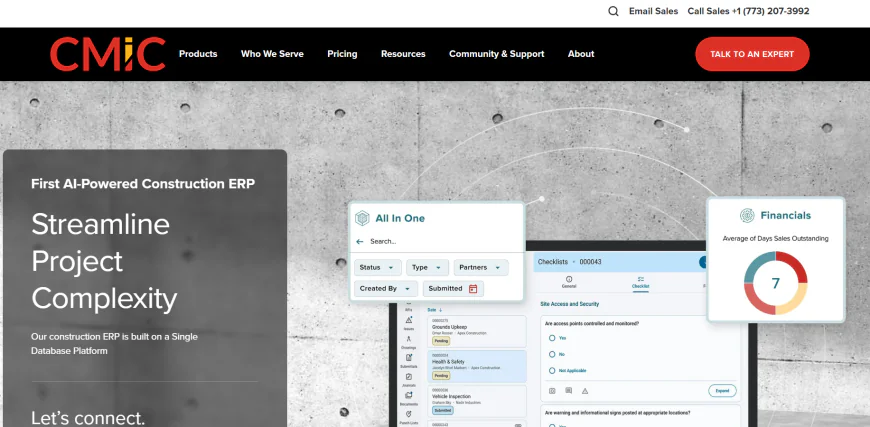
CMiC is a construction-native ERP platform purpose-built for contractors, subcontractors, and project-heavy builders. It offers full financials, payroll, project costing, field operations, and asset tracking — all from a unified, single-source database. Available in cloud, hybrid, or on-premise deployment, CMiC is optimized for mobile and field workflows, allowing office and jobsite teams to collaborate in real time. Its architecture eliminates reliance on external modules or third-party add-ons, offering full construction lifecycle control from bidding to billing. That’s why CMiC is one of the most recommended ERP systems for firms running multi-project, multi-entity operations in the built environment.
How is CMiC priced, and what should construction firms expect in terms of cost structure?
CMiC follows a modular, subscription-based pricing model for its cloud version, typically customized based on the number of users, modules selected, deployment type (cloud vs on-prem), and support tier. There's no public pricing, but mid-sized firms often report five-figure annual costs for full platform access.
On-premise deployments may incur one-time license fees plus annual maintenance. CMiC implementations also require a professional services engagement, which includes setup, configuration, training, and data migration — often a significant upfront investment.
Bottom line: CMiC is not a low-cost solution, but for firms seeking an all-in-one construction ERP with unified data and deep control, the investment is often justified by long-term ROI and operational visibility.
How This Guide Is Structured (Read This Before Moving On):
In this comprehensive guide, we began by comparing CMiC head-to-head against every other top construction ERP system. Why? Because CMiC is the most construction-native platform on the list — fully purpose-built for contractors and project-based firms. To help readers understand why it holds the #1 spot, we explored how it stacks up across every key area: job costing, field operations, scalability, architecture, and more.
For the remaining ERP platforms — from Sage 300 CRE to IFS Cloud — we’ll take a different but equally detailed approach. Each will receive a full technical deep dive, structured around real-world implementation questions, user concerns, and what construction teams actually want to know. These breakdowns are designed to help you understand each tool’s strengths, limitations, and ideal use cases without repeating one-on-one comparisons already covered above.
Now let’s compare CMiC to the other top construction ERPs — starting with Sage 300 CRE.
-
🆚 CMiC vs Sage 300
🆚CMiC vs Sage 300 Construction & Real Estate: Construction ERP Software Showdown
Which ERP is truly built from the ground up for construction, not retrofitted?
CMiC: Purpose-built for the construction industry with field operations, subcontractor control, and real-time project financials natively built in.
Sage 300 CRE: Evolved from a finance-first platform (Timberline); construction tools were added later and often require external modules.How do their database architectures impact integration and data reliability?
CMiC: Single unified database — all project, field, and financial data lives in one system, reducing sync delays and integration failures.
Sage 300 CRE: Modular architecture — some data is siloed, and syncing across modules or third-party tools can introduce latency and errors.What deployment models are available — and which is more flexible for IT teams?
CMiC: Cloud-native, hybrid, or on-prem — all supported natively. Full infrastructure control or SaaS available.
Sage 300 CRE: Primarily desktop-based; cloud options exist but are typically hosted through third-party providers.Which offers better field operations and mobile access for jobsite teams?
CMiC: Native mobile support — field teams can manage RFIs, timecards, documents, and project updates in real time.
Sage 300 CRE: Limited native field support — often depends on integrations with tools like Sage Field Ops or Procore to match CMiC's functionality.How do they handle certified payroll, union labor, and complex payroll needs?
CMiC: Strong in-house payroll with support for union, certified, and multi-state compliance — especially for self-performing contractors.
Sage 300 CRE: Solid payroll capabilities for U.S. contractors, but setup and compliance for complex labor structures can require extra effort.Which ERP is easier for project managers and superintendents to learn and use?
CMiC: Deep system with a learning curve, but highly customizable dashboards by role help non-financial users navigate with clarity.
Sage 300 CRE: More intuitive for finance and back-office users; field-facing staff often need extra tools or training.How do they compare in job costing, WIP tracking, and forecasting?
CMiC: Unified project financials — real-time job costing, committed cost tracking, and WIP reporting all live in the core system.
Sage 300 CRE: Excellent job costing and WIP capabilities, but may rely on extensions or integrations for full forecasting visibility.Which ERP is more scalable for multi-entity or multi-division contractors?
CMiC: Built-in support for multi-company setups, consolidated reporting, and intercompany workflows.
Sage 300 CRE: Can support multi-entity setups, but configuration is more complex and often requires outside consultants.How do CMiC and Sage differ when it comes to integration with 3rd-party tools?
CMiC: Designed as an all-in-one system; integrations are available but often unnecessary.
Sage 300 CRE: Highly reliant on integrations (e.g., Procore, eSub, DocuSign) to extend field and PM functionality.What does the long-term maintenance and support picture look like?
CMiC: Requires investment in training early on, but centralization reduces long-term IT fragmentation.
Sage 300 CRE: Easier out-of-the-box, but long-term complexity grows as bolt-ons and upgrades accumulate.
Final Verdict: CMiC VS Sage 300 CRE — Who Comes Out on Top?
CMiC is the stronger choice for construction firms seeking end-to-end control, real-time collaboration, and full financial visibility — especially for those running large or complex projects across multiple entities. It requires upfront commitment but delivers high ROI through unified data and mobility.
Sage 300 CRE is best suited for firms prioritizing accounting and financial workflows with lighter operational needs. It’s familiar, reliable, and easier to adopt — but it can grow costly and fragmented when scaled.
-
🆚 CMiC vs Viewpoint ERP
🆚 CMiC vs Viewpoint ERP: Deep Construction ERP Comparison
Which platform has stronger core construction functionality out of the box?
CMiC: Includes fully integrated financials, job costing, timekeeping, subcontractor tracking, and field operations — all without relying on third-party tools.
Viewpoint: Very strong in operations and field management, but core financials are more modular and often handled through multiple platforms (Vista + Spectrum + ViewpointOne).Which ERP is easier to deploy across multiple construction divisions and project types?
CMiC: Built for complex, multi-entity contractors — its architecture supports custom cost structures and centralized management natively.
Viewpoint: Handles verticals like general contracting, heavy highway, and specialty trades well — but requires tighter configuration and integration between its Vista and Spectrum components.How do CMiC and Viewpoint differ in terms of field collaboration and mobile apps?
CMiC: Offers native mobile apps for timesheets, RFIs, field logs, and submittals with real-time cloud syncing.
Viewpoint: Strong mobile capabilities, especially through Viewpoint Field View, but field-to-office syncing may require setup across separate subsystems.Which ERP offers stronger real-time project visibility and forecasting?
CMiC: Forecasting is built into job cost and schedule tracking — budget vs actual is available instantly within the same module.
Viewpoint: Strong forecasting tools in Vista, but often requires additional reporting tools or integrations to match CMiC’s real-time capabilities.Which system has better document control and change order workflows?
CMiC: Change orders and document revisions are deeply embedded into both financial and operational modules — ensuring accuracy across contracts, commitments, and billing.
Viewpoint: Offers solid document tracking and change order tools, but some firms rely on Viewpoint Team or third-party systems for deeper collaboration.How customizable are each platform’s dashboards and reporting tools?
CMiC: Highly customizable dashboards by role — executives, PMs, and supers can each get tailored real-time insights.
Viewpoint: Offers customizable reports through Vista and Spectrum, but more effort may be required to unify them in one dashboard view.How does each system scale for growing contractors with multiple offices or regions?
CMiC: Easily handles intercompany transactions, consolidated reporting, and shared cost centers across entities.
Viewpoint: Can scale well, but deployment can get complex depending on whether the client uses Vista or Spectrum and how they’re configured.Which ERP has the edge in long-term data integrity and maintenance?
CMiC: One of its biggest strengths — all project and financial data sits in a single database, minimizing duplication and sync issues.
Viewpoint: Strong systems, but data can be split across multiple modules or instances unless fully integrated under ViewpointOne.
Final Verdict: CMiC vs Viewpoint — Who Comes Out on Top?
Winner: CMiC ERP
Why? While Viewpoint is a strong ERP solution with broad industry use — especially in operations-heavy environments — CMiC ultimately delivers tighter end-to-end integration with fewer silos, stronger native financial control, and superior forecasting. Its unified architecture ensures real-time accuracy across job costing, subcontractor billing, field activity, and reporting.
For mid-sized to enterprise-level contractors who want everything in one place — from preconstruction to payroll — CMiC is the more technically robust platform.
-
🆚 CMiC vs Acumatica
🆚CMiC vs Acumatica: Cloud-Native vs Construction-Native ERP Showdown
Which ERP is more construction-native in core functionality?
CMiC: Built from the ground up for construction — all modules, including project financials, payroll, and job costing, are native and unified.
Acumatica: A general-purpose ERP with a construction edition layered on — strong in project accounting but not as deeply specialized for field-heavy operations.Which platform handles subcontractor management and change orders more effectively?
CMiC: Includes native subcontractor billing, lien tracking, retention, and change orders tied directly to budgets and contracts.
Acumatica: Offers subcontractor workflows, but may need customization or configuration to achieve CMiC’s depth in lien waivers and cost control.How do their job costing systems differ in depth and real-time tracking?
CMiC: Job costing is real-time, tied to payroll, time entry, procurement, and scheduling — all in one place.
Acumatica: Offers solid job costing, but real-time integration may rely on syncing between modules or third-party add-ons.Which ERP is more flexible in deployment and IT control?
CMiC: Offers cloud, on-premises, or hybrid deployment with full data control — ideal for firms needing infrastructure flexibility.
Acumatica: 100% cloud-native — designed for SaaS delivery; excellent for firms prioritizing mobility and low IT overhead.Which system supports field teams better with mobile features?
CMiC: Built-in mobile access with modules for time capture, RFIs, field logs, and daily reports that sync live with the back office.
Acumatica: Mobile apps available and strong cloud accessibility, but construction-specific features may require more setup or custom forms.How user-friendly is each ERP for non-financial users?
CMiC: Deep functionality with a steeper learning curve; dashboards can be customized for PMs, superintendents, or finance users.
Acumatica: Very intuitive UI; clean, modern design makes it easier for users to adopt quickly, especially smaller teams.Which ERP has stronger financial consolidation for multi-entity firms?
CMiC: Handles multi-company, multi-division, and intercompany accounting natively — including consolidated financial reporting.
Acumatica: Supports multi-entity and intercompany accounting, but some firms report needing configuration or third-party tools to match CMiC’s financial depth.How does integration with third-party tools compare?
CMiC: Designed to be all-in-one; APIs exist but not a plug-and-play ecosystem. Focus is on reducing integration needs.
Acumatica: Very open API and partner-friendly — integrates well with modern tools (Procore, DocuSign, Power BI) out of the box.
Final Verdict: CMiC vs Acumatica — Which Is the Better Construction ERP?
Winner: CMiC ERP
Why? CMiC delivers deeper construction-native functionality — especially in job costing, subcontractor workflows, payroll, and project controls — all within a tightly integrated system. It’s ideal for mid-sized and large firms managing complex labor, union, or multi-entity operations.
Acumatica is a powerful cloud-native ERP with excellent usability and open integration, making it attractive for modern, tech-forward firms with lighter field needs or smaller project teams.
But in terms of depth, scalability, and native construction features, CMiC leads.
-
🆚 CMiC vs Jonas ERP
🆚CMiC vs Jonas ERP: Deep Comparison of Construction Software for Self-Performers and Subcontractors
Which ERP is more construction-native in its design and architecture?
CMiC is fully construction-native — every module from job costing to payroll to field execution was designed specifically for construction workflows.
Jonas ERP is also built for construction and service contractors but leans more toward mechanical, HVAC, and specialty subcontractors. It offers strong job costing and service dispatch, but its architecture isn’t as unified across all departments as CMiC’s.Who is each ERP best suited for — large contractors or small-to-midsize specialty firms?
CMiC is ideal for general contractors, self-performing firms, and enterprise builders running multi-project and multi-entity operations.
Jonas ERP is best for midsize subcontractors — especially electrical, plumbing, or HVAC firms — that need accounting + service + field in one place.How do they differ in project management and scheduling capabilities?
CMiC includes deeply integrated project controls, including Gantt-style scheduling, project forecasting, change order workflows, and field tracking tied directly to budgets.
Jonas ERP includes project scheduling but it’s more basic; most users rely on third-party tools like Microsoft Project for full planning.Which platform is stronger in service management and dispatching?
CMiC does not focus heavily on service dispatch; its strength lies in large-scale project execution and financials.
Jonas ERP shines here — it has built-in service dispatch boards, recurring work orders, and mobile technician support tailored for subcontractors doing maintenance and installs.How does each ERP handle labor, payroll, and union compliance?
CMiC has native union and certified payroll processing — critical for union-heavy, self-performing construction firms.
Jonas ERP also supports payroll, including union rules, but is typically deployed in smaller payroll environments.Which system provides stronger mobile tools for field data capture and reporting?
CMiC has mobile-native apps for time entry, daily logs, field reports, photos, RFIs, and safety — all synced to project financials in real time.
Jonas ERP offers mobile field reporting and service technician apps, but some modules require extra configuration or licensing.How customizable are reporting tools and dashboards?
CMiC allows for role-based dashboards that integrate job costing, forecasting, and field data — real-time visibility across departments.
Jonas ERP provides strong canned reports and some dashboard tools, but many contractors use Excel or Power BI for custom visuals.Which ERP scales more effectively as a firm grows or takes on larger projects?
CMiC is designed to scale — multi-entity, multi-division consolidation, intercompany billing, and enterprise-level controls are built in.
Jonas ERP can support growth but tends to plateau at the upper mid-market level, especially for firms moving into general contracting.
Final Verdict: CMiC vs Jonas ERP — Which One Wins?
Winner: CMiC ERP
Why? While Jonas ERP is a strong platform for subcontractors and firms with service-heavy operations, CMiC provides broader construction-native functionality, deeper integration across departments, and more advanced financial and project controls. It’s designed to support growth, complexity, and multiple divisions — making it a better long-term platform for contractors scaling operations.
That said, Jonas ERP remains an excellent choice for trade contractors who prioritize service dispatch, simplicity, and cost-effective deployment.
-
🆚CMiC vs PENTA ERP
🆚CMiC vs PENTA ERP: Enterprise Construction ERP Face-Off
Which ERP is more deeply embedded in the construction industry by design?
CMiC is a unified construction-native ERP built specifically for general contractors, self-performing builders, and project-based firms.
PENTA ERP is also built exclusively for construction, particularly for union-heavy, labor-intensive contractors — such as industrial builders, electrical/mechanical contractors, and heavy civil firms.How do their system architectures differ — and what impact does that have on performance?
CMiC runs on a single, unified database across all modules. This centralization improves data consistency and reduces the need for integrations.
PENTA uses a modular yet tightly integrated system. Though unified in design, it typically requires more IT involvement to customize workflows and reporting.Which ERP is stronger in labor management and union reporting?
CMiC supports union and certified payroll out of the box, including prevailing wage, multi-trade labor, and state compliance.
PENTA specializes in labor management — it handles multi-union rules, shift differentials, job classifications, and automated labor burden costing with incredible depth.How do job costing and forecasting compare in both systems?
CMiC delivers real-time job costing tied directly to timekeeping, procurement, and scheduling, making forecasting more immediate and visible.
PENTA also has robust job costing and forecasting tools — particularly strong in earned value analysis, productivity tracking, and committed cost projections for labor-heavy contractors.What field capabilities does each ERP offer for mobile crews and superintendents?
CMiC provides mobile-native modules for daily logs, time entry, RFIs, photos, and field reporting, all synced back to core financials.
PENTA offers mobile field apps as well, though some users report more reliance on structured workflows rather than flexible field inputs.Which ERP supports intercompany operations and multi-entity project management better?
CMiC is designed for multi-entity construction — including intercompany billing, joint ventures, and consolidated reporting across divisions.
PENTA also handles intercompany operations well, particularly for firms with shared labor/equipment across multiple job sites or subsidiaries.Which is more customizable for complex workflows or union-specific rules?
CMiC offers high configurability via its admin tools and user-defined fields, but tends to stick to standard construction best practices.
PENTA is exceptionally customizable for companies with complex labor rules, advanced equipment tracking, and heavy project documentation requirements.
Final Verdict: CMiC vs PENTA ERP — Which ERP Wins and Why?
Winner: PENTA ERP (For labor-heavy industrial contractors)
Winner: CMiC ERP (For general contractors and multi-division firms)Why? If you're a heavy construction contractor managing union labor, equipment-intensive projects, and tight productivity metrics — PENTA provides industry-best labor tracking and compliance. Its strength lies in complex payroll rules, resource productivity, and enterprise control.
However, for general contractors or multi-entity builders needing a balanced mix of project ops, field mobility, and financial consolidation — CMiC remains the more comprehensive and scalable choice, especially in unified project workflows and modern user experience.
-
🆚 CMiC vs Oracle NetSuite ERP
🆚CMiC vs Oracle NetSuite ERP: Construction-Specific vs General-Purpose Cloud ERP
Which ERP was purpose-built for construction, and which was adapted from a broader platform?
CMiC is built from the ground up as a construction-specific ERP — every module, from field operations to payroll, was designed for contractors.
Oracle NetSuite is a general-purpose ERP that offers a “Construction Edition” via third-party bundles or configurations but isn’t construction-native at its core.How do job costing and project financials compare in each platform?
CMiC provides true real-time job costing — integrated directly with labor hours, material costs, subcontractor billing, and change orders.
NetSuite offers job costing via project accounting modules, but it requires customization or SuiteApps to match CMiC’s depth in cost codes, retention, or construction-phase breakdowns.What’s the difference in their deployment architecture and IT overhead?
CMiC supports cloud, on-prem, or hybrid deployments — with full ownership over the data environment if needed.
NetSuite is 100% cloud-native and multi-tenant, meaning all customers run on Oracle's infrastructure, which minimizes IT overhead but limits customization at the infrastructure level.Which ERP handles subcontractor management more effectively?
CMiC offers native subcontractor workflows including retainage, progress billing, lien waivers, and commitment tracking.
NetSuite requires configuration or third-party construction SuiteApps (e.g., from CEBA or Bangert) to offer similar construction-specific workflows.Which system provides better field-to-office visibility for site teams?
CMiC includes construction-native mobile apps — timesheets, RFIs, daily reports, punch lists — all feeding directly into the ERP.
NetSuite does not offer native construction field apps; contractors typically integrate with tools like Procore or Autodesk Build for site-level data capture.How do the two compare in terms of multi-entity consolidation and global operations?
CMiC handles intercompany accounting, consolidated reporting, and project allocations across regions or subsidiaries within construction workflows.
NetSuite is extremely strong in multi-entity, global financials — one of its core strengths — though it’s not optimized for construction-specific nuances like shared job sites or multi-division project splits.Which ERP is more intuitive and user-friendly out of the box?
CMiC is powerful but complex — the user interface is functional but may feel dated unless configured with modern dashboards.
NetSuite offers a modern UI and easy navigation, particularly for finance teams — but construction-specific workflows may feel incomplete without partner modules.
Final Verdict: CMiC vs NetSuite ERP — Who Wins for Construction?
Winner: CMiC ERP
Why? While NetSuite excels in general ERP functionality — especially for global, multi-entity financials — it lacks true construction-native depth. Its reliance on third-party apps for project controls, job costing, and subcontractor workflows makes it less cohesive for construction firms.
CMiC, on the other hand, offers fully integrated, construction-specific capabilities that cover the full lifecycle from preconstruction through closeout. For builders seeking unified job costing, labor tracking, and mobile field collaboration — CMiC clearly wins.
-
🆚CMiC vs Infor CloudSuite Construction
🆚 CMiC vs Infor CloudSuite Construction: Deep Dive Into Industry-Built ERP Platforms
Which ERP is more purpose-built for construction firms?
CMiC is a fully construction-native ERP designed exclusively for the AEC sector — every module, from payroll to project control, is built with construction workflows in mind.
Infor CloudSuite Construction is also industry-specific but based on Infor’s broader enterprise platform. It’s tailored for construction through vertical extensions and integrations, not native design.How do their project management and field execution features compare?
CMiC includes integrated project controls, scheduling, forecasting, RFIs, field dailies, and punch lists — all tied into job costing.
Infor CloudSuite offers strong project management and scheduling, but relies more heavily on Infor’s extended suite (e.g., LN, EAM, or Birst) to round out field and analytics capabilities.Which ERP delivers stronger supply chain and procurement functionality?
CMiC covers basic procurement workflows like purchase orders, vendor contracts, and material tracking — designed for contractors managing field execution.
Infor CloudSuite shines in supply chain depth — including vendor performance, materials forecasting, logistics, and advanced procurement — especially valuable for firms handling vertical construction or manufacturing-construction hybrids.What about job costing detail and construction-specific budgeting?
CMiC delivers highly granular job costing, tied in real time to payroll, time tracking, equipment, and change orders — standard for general contractors.
Infor CloudSuite supports project-based costing, but may require configuration or use of Infor’s extended modules to match CMiC’s tight construction workflows.Which system scales better for global, complex construction firms?
CMiC supports large multi-entity organizations but is most commonly used in North American construction firms — particularly GCs and subcontractors.
Infor CloudSuite is designed for global scalability — supporting international standards, multi-currency, compliance, and localization. It’s a better fit for multinational construction or EPC firms.How user-friendly and modern are their interfaces and mobile tools?
CMiC offers modern dashboards and mobile apps built specifically for construction, but legacy screens still exist in some modules.
Infor CloudSuite provides a more polished UI through its “Infor OS” platform — with a clean design and AI-enhanced insights — but construction-specific field tools may not be as mature without integrations.Which ERP provides better out-of-the-box reporting and analytics?
CMiC has strong operational reporting, with drill-down capability, dashboards, and construction KPIs. Advanced analytics require custom configuration.
Infor CloudSuite integrates with Birst (Infor’s BI engine) to deliver advanced analytics, predictive insights, and pre-built dashboards across all levels.
Final Verdict: CMiC vs Infor CloudSuite — Which ERP Wins for Construction?
Winner: CMiC ERP (for field-intensive and mid-to-large North American contractors)
Winner: Infor CloudSuite (for global, supply-chain-heavy, or EPC firms)Why? CMiC offers tighter native integration across all construction workflows — job costing, labor tracking, subcontractor billing, and field execution — without relying on multiple products or integrations. For contractors focused on efficient field-office sync and real-time control, CMiC remains the stronger platform.
Infor CloudSuite, however, stands out for large-scale, multinational firms with supply chain complexity, manufacturing-construction crossover, or enterprise integration needs. It’s broader, more scalable globally, and powerful — but not as specialized in boots-on-the-ground construction ops as CMiC.
-
🆚 CMiC vs SAP ERP
🆚 CMiC vs SAP ERP (S/4HANA / Business One): Deep Construction ERP Analysis
Which ERP is more specifically built for construction firms?
CMiC is purpose-built for the construction industry — every module, from payroll to field operations, was created for contractors, project managers, and site teams.
SAP ERP (both S/4HANA and Business One) is a general enterprise system with construction capabilities delivered through vertical templates or partner solutions. It was not originally built for construction, but adapted.How do project costing and forecasting features compare?
CMiC provides native, real-time job costing tied directly to labor, materials, equipment, timekeeping, and procurement. Forecasts update automatically based on field input.
SAP supports job costing through its Project System module, but often requires consulting-heavy implementation to tailor workflows to construction projects.Which ERP handles multi-entity operations and financial consolidation more intuitively?
CMiC natively supports multi-entity setups — allowing for shared resources, intercompany transactions, and consolidated project financials across divisions or regions.
SAP S/4HANA is world-class in multi-entity finance, offering real-time universal journal access across subsidiaries. However, customizing it to mirror construction workflows can be complex and expensive.What is the difference in scalability and deployment models?
CMiC supports mid-market to large construction firms, with hybrid, on-prem, or cloud deployments — tailored to contractors’ infrastructure needs.
SAP ERP is highly scalable and globally used by Fortune 500 companies. It’s cloud-first (S/4HANA Cloud) or on-prem (S/4HANA/Business One), ideal for firms with heavy IT governance or complex compliance demands.How do CMiC and SAP compare in mobile functionality and field collaboration?
CMiC has construction-native mobile tools — including field time capture, RFIs, site logs, safety tracking, and real-time field-to-office data flow.
SAP ERP offers mobile capabilities, but construction-specific apps usually come via SAP’s partner ecosystem or require significant customization to match CMiC’s depth.Which ERP has stronger integration with modern tools and platforms?
CMiC provides API-based integration but encourages using its own native modules to reduce reliance on third-party tools.
SAP ERP integrates with a massive ecosystem — including SAP Fieldglass, SAP Analytics Cloud, and third-party apps — but the architecture can be complex and expensive to maintain.Which platform delivers better usability and quicker onboarding for construction teams?
CMiC is built around the language and workflow of contractors — though robust, it’s more intuitive for construction pros than generic ERPs.
SAP ERP is powerful but enterprise-grade in complexity. Onboarding construction teams often requires deep training and change management, particularly for non-financial users.
Final Verdict: CMiC vs SAP ERP — Which One Wins for Construction Firms?
Winner: CMiC ERP
Why? CMiC offers a tightly integrated, construction-native platform tailored to the way contractors actually work — from job site to back office. It reduces IT complexity, delivers real-time field financials, and is far faster to deploy for construction use cases.
SAP ERP is a global enterprise powerhouse — perfect for construction firms that operate in multiple industries (e.g. EPC, real estate, manufacturing) or across complex regulatory environments. But for pure-play construction, CMiC offers a more focused, cost-effective, and operations-driven solution.
-
🆚 CMiC vs IFS Cloud ERP
🆚CMiC vs IFS Cloud ERP: Best Construction ERP for Asset-Heavy & Project-Centric Firms?
Which ERP was purpose-built for traditional construction operations?
CMiC is built entirely for construction — with deep native support for general contractors, subcontractors, and firms managing labor, field teams, and complex projects.
IFS Cloud is also project-centric but was originally developed for asset-intensive industries like aerospace, energy, and industrial field service — later adapted to construction use cases.How do the platforms differ in project execution and job costing capabilities?
CMiC ties job costing directly to field activities, payroll, purchasing, and subcontractor payments. Forecasting updates in real time as job progress changes.
IFS Cloud handles project financials well, especially in industries requiring asset lifecycle management and service delivery — but its construction job costing typically requires configuration or partner implementation.Which ERP is more field-ready and optimized for construction site users?
CMiC offers mobile-native field tools — time entry, safety logs, punch lists, RFIs — all natively integrated. Field data syncs directly to back-office financials and dashboards.
IFS Cloud has mobile apps for field service and maintenance but lacks construction-specific site workflows like daily logs or subcontractor draw management without customization.How strong are their asset, service, and equipment management tools?
CMiC includes basic equipment tracking and utilization reports, primarily geared toward internal project use.
IFS Cloud excels in asset lifecycle, predictive maintenance, and service contracts — ideal for firms owning, leasing, or maintaining complex construction equipment fleets.What about deployment flexibility and IT control?
CMiC supports cloud, on-prem, and hybrid models — helpful for firms with data security or infrastructure preferences.
IFS Cloud is cloud-first, with strong container-based architecture and composable modules, giving enterprises high agility and upgrade control.How does reporting and analytics differ between CMiC and IFS?
CMiC has robust operational reporting, construction KPIs, and customizable dashboards — but advanced BI may require add-ons.
IFS Cloud delivers analytics via IFS.ai and IFS Lobby — offering embedded AI insights and configurable role-based views across projects, finance, and service.Which ERP better supports multi-entity and global operations?
CMiC is strong in multi-entity project accounting for North American firms, with built-in intercompany functionality.
IFS Cloud supports complex, multinational operations with localization, multi-currency, compliance, and project portfolio control — better for global AEC giants.
Final Verdict: CMiC vs IFS Cloud ERP — Which System Is Better for Construction?
Winner: CMiC ERP (for construction-first contractors)
Winner: IFS Cloud (for asset-heavy or global EPC firms)Why? CMiC is a pure-play construction ERP — optimized for job site visibility, subcontractor workflows, and real-time financial integration. It’s the best fit for general contractors and specialty builders managing complex projects and internal labor.
IFS Cloud, on the other hand, offers deeper functionality in asset lifecycle, predictive service, and multinational project execution. It’s more suitable for construction firms operating in hybrid AEC-industrial environments — such as infrastructure firms with service divisions or global portfolios.
-
2️⃣ Sage 300 Construction & Real Estate

Proven Power for Financial Control
🔷 Sage 300 CRE Overview
Sage 300 Construction & Real Estate (formerly Timberline) is a veteran ERP platform tailored specifically to the needs of construction firms and real estate developers. It’s best suited for contractors with complex financial tracking needs — especially those focused on job costing, general ledger precision, payroll, and subcontractor billing. Unlike newer cloud-native ERPs, Sage 300 CRE is primarily on-premises, with some hybrid/cloud-hosted options offered through authorized resellers.
What sets Sage apart is its accounting-first architecture. Its strength lies in decades of refined financial control features, making it a top choice for firms with in-house accounting teams, multi-entity structures, or rigorous compliance reporting needs. However, while powerful, it often depends on third-party integrations to extend its functionality beyond core financials — such as project management, mobile field access, or advanced scheduling.
Let’s unpack Sage 300 CRE’s capabilities in full detail — based on the real questions business and IT leaders are asking across the construction industry.
What type of construction firm is Sage 300 CRE best suited for?
Sage 300 CRE is ideal for:
-
Mid-sized general contractors and developers with deep financial oversight needs
-
Firms with in-house accounting departments that require high control over ledgers, billing, and job costing
-
Construction companies that have existing IT infrastructure and prefer on-premises solutions
-
Organizations that already use Sage for payroll or accounting and want to extend into construction-specific workflows
It’s less ideal for field-heavy or mobile-first firms unless extended with external tools.
How does Sage 300 CRE handle job costing, project financials, and budgeting?
Sage 300 CRE is a powerhouse in job costing — offering:
-
Real-time cost tracking at phase, task, and vendor levels
-
Integrated change order management
-
Automatic commitment tracking for POs and subcontracts
-
Forecasting tools for job profitability based on cost-to-complete models
However, these features are accounting-centered, meaning field users may need additional tools or interfaces to enter data unless the firm has custom workflows or integrations.
Is Sage 300 CRE cloud-based or on-prem, and what are the implications for IT teams?
By default, Sage 300 CRE is an on-premises solution, designed to run on local servers. It can be cloud-hosted through select authorized providers, but it’s not a native SaaS product like Acumatica or CMiC Cloud.
Implications:
-
Greater IT control and customization potential
-
Requires in-house IT support or managed services for hosting, backups, updates
-
Less seamless mobile access out of the box compared to true cloud platforms
-
Data control and compliance can be easier for some firms managing sensitive info
How intuitive is Sage 300 for non-finance construction users?
The interface is built for accountants — not field workers. Pros:
-
Familiar for CPAs or those with prior Sage experience
-
Highly detailed GL, AP, AR, and payroll controls
Cons:
-
Steeper learning curve for project managers or field staff
-
Older-style UI with menus and desktop-style navigation
-
Mobile or web-based extensions require additional software or integrations
For firms where finance teams drive operations, this is a benefit. For those with decentralized field operations, it can feel restrictive.
Can Sage 300 CRE support complex multi-entity or multi-division operations?
Yes — Sage 300 CRE offers:
-
Intercompany accounting
-
Entity-specific permissions
-
Consolidated reporting across multiple companies or departments
-
Separation of books by company, project, region, or cost center
This makes it a strong fit for firms with:
-
Multiple real estate holdings
-
Regional divisions
-
Development arms operating separately from construction divisions
Setup and management can be config-heavy, but the structure is stable and mature.
What are Sage 300’s strengths in subcontractor and vendor management workflows?
Sage 300 CRE includes:
-
Subcontractor commitment tracking
-
Lien waivers and compliance document management
-
Integrated AP workflows for subcontractor billing
-
Payment retention tracking for holdbacks and draws
These are well-developed for firms managing many vendors — especially those with strict document and billing cycles.
However, field-level communication (e.g., mobile status updates, progress capture) often requires external tools.
How customizable is Sage 300 CRE, and how easy is integration with other systems?
Customizations are available through:
-
User-defined fields
-
Crystal Reports and Sage Report Designer
-
Scripting and macros for automation
-
Integration with Sage Estimating and third-party PM tools
However:
-
API access is limited compared to newer ERPs
-
Integration typically requires middleware or custom connectors
-
Built-in flexibility is mostly in reporting and forms, not process automation
For finance teams needing custom outputs or compliance reports, it’s solid. For seamless integration with field or CRM tools, more work is required.
Does Sage 300 CRE offer mobile tools for field teams and remote job sites?
Out of the box, mobile support is limited.
To get mobile field reporting, inspections, RFIs, or field time capture, most firms use:
-
Sage Field Operations (SFO) — a separately licensed add-on
-
Third-party platforms like Procore, eSub, or HH2
This setup works, but can create data fragmentation unless properly integrated and mapped back into Sage’s financials.
What do users across construction forums, Reddit, and review platforms say about Sage 300 CRE?
🌟 What users love:
-
Industry-trusted platform with robust accounting depth
-
Mature job cost controls and lien tracking
-
Reliable reporting for tax, audit, and compliance
-
Familiarity in the industry — many accountants already know it
⚠️ Common pain points:
-
Outdated UI and lack of modern interface features
-
Mobile limitations without additional products
-
Implementation complexity without a Sage-certified partner
-
Requires significant IT support for setup, upgrades, backups
How is Sage 300 CRE priced, and what should construction firms expect in terms of total cost?
Sage 300 CRE uses a modular, perpetual license model — meaning you pay a one-time software license fee, with optional annual maintenance and support plans. Some resellers offer subscription/cloud-hosted models, but this is not standard via Sage itself.
Cost drivers include:
-
Number of users (named or concurrent)
-
Modules selected (e.g., payroll, estimating, project costing)
-
Deployment model (on-prem vs hosted by a partner)
-
Add-ons like Sage Field Operations or third-party integrations
-
Implementation and training — usually handled by certified resellers
There is no public pricing, and firms must request quotes through partners. Based on direct pricing references from the official website, Sage emphasizes that implementation scope and licensing are customized per firm, not sold as flat packages.
✅ Final Verdict: Sage 300 CRE’s Strengths & Weak Points
Sage 300 CRE is a highly trusted platform in the construction and real estate world — especially for financially complex firms that prioritize internal accounting strength over modern UX or mobile-first tools. It’s rock-solid for managing costs, payables, payroll, and vendor compliance — and is deeply familiar to accounting professionals across the industry.
However, it shows its age when compared to modern cloud-native ERPs. Without extensions, it lacks field mobility, real-time dashboards, or AI-enhanced workflows. Firms that prioritize field-to-office synchronization, or that want a fully cloud-based, integrated experience, may find it limiting without investing in third-party systems.
👉 Best for: Financially driven construction firms that need bulletproof accounting and can manage integrations or host their own systems.
-
-
3️⃣ Viewpoint ERP

Operational Depth for Field-Heavy Contractors
🔷 Viewpoint ERP Overview
ViewpointOne, by Trimble, is a powerful construction ERP platform designed for field-first contractors, especially those in commercial construction, heavy civil, and industrial sectors. It brings together accounting, project management, and field operations into a cloud-connected ecosystem. The system is modular, centered around core tools like Vista, Spectrum, and Team, which work together under the ViewpointOne platform.
What makes Viewpoint stand out is its field-to-office connectivity. Field data — such as labor hours, equipment usage, daily logs, and material tracking — flows directly into job costing and financial modules in near real-time. It’s built to eliminate the delays and inconsistencies that often arise between the site and the back office.
Now, let’s answer the critical questions construction pros ask when considering ViewpointOne as their ERP system of record.
Who is Viewpoint ERP best suited for in the construction industry?
Viewpoint is tailored for:
-
General contractors and self-performing contractors
-
Heavy civil firms, including infrastructure and utilities
-
Construction companies that prioritize field visibility and workforce tracking
-
Firms with complex jobsite operations and multiple crews
It’s particularly well-suited for those who want real-time sync between the field and finance — whether for daily logs, timesheets, or resource usage.
What are the core modules offered by ViewpointOne?
Viewpoint’s platform includes:
-
Vista: Enterprise-level accounting and project management
-
Spectrum: Cloud-based ERP with financials, HR, and materials management
-
Viewpoint Team: Project collaboration hub between office, field, and external partners
-
Field View: Mobile forms, checklists, and daily site reports
-
HR Management and Service Tech for specialty contractors and maintenance workflows
Together, these modules provide full coverage across financials, field operations, compliance, and reporting.
Is Viewpoint cloud-based or on-premises, and how flexible is deployment?
Viewpoint offers both on-premises (Vista, Spectrum) and cloud-hosted options (ViewpointOne). Many contractors begin with an on-prem version and migrate toward ViewpointOne cloud over time.
Key benefits of the cloud platform:
-
Accessible from job sites via web and mobile
-
Lower hardware and infrastructure costs
-
Easier updates and maintenance through Trimble
-
Data consistency across devices and locations
Firms with legacy installations can remain on-prem while gradually expanding to ViewpointOne.
How does Viewpoint ERP perform in job costing and financial controls?
Viewpoint is extremely strong in this area. Features include:
-
Daily job cost tracking tied directly to field data
-
Real-time budget vs actuals comparisons
-
WIP (work-in-progress) reporting with forecasting tools
-
Integration of payroll, time entry, and vendor costs into job ledgers automatically
This integration reduces delays in project reporting and helps eliminate spreadsheet-based workflows.
Does Viewpoint support equipment and resource management?
Yes — Viewpoint is well-suited for self-performing contractors and heavy construction firms with equipment fleets.
It offers:
-
Equipment tracking for usage, location, and maintenance
-
Cost allocation per asset and job
-
Integration with field logs and time entry
-
Reporting on idle time, fuel usage, and preventive maintenance scheduling
It’s one of the few ERPs in this list that puts labor and equipment tracking at the core of its project workflows.
How does Viewpoint support collaboration between field and office teams?
This is a major strength.
Using Viewpoint Team and Field View, crews can:
-
Complete mobile checklists, safety forms, and daily logs
-
Upload photos and documents with geotags
-
Submit RFIs, change requests, and punch lists from job sites
-
Collaborate with subcontractors and clients via secure portals
Office teams receive this data instantly, reducing manual entry and communication gaps.
Is Viewpoint customizable and integrable with third-party tools?
Yes, but it depends on the module.
-
Vista supports custom reports, SQL scripting, and third-party integrations via APIs
-
Spectrum offers REST API access, and integrations with tools like Procore and DocuSign
-
Custom workflows can be created using Viewpoint’s Integration Platform (VIP)
That said, complex integrations may require Trimble partners or professional services for configuration.
What do real users say about Viewpoint ERP’s strengths and weak points?
🌟 What users appreciate:
-
Real-time sync between job sites and back office
-
Strong job cost visibility and equipment tracking
-
Well-supported modules for compliance and safety
-
Responsive customer service, especially via Trimble network
⚠️ Common user frustrations:
-
Steep learning curve for non-technical staff
-
Some lag in mobile apps in low-connectivity environments
-
UI inconsistencies between modules (e.g., Vista vs Field View)
-
Reporting setup can require support during implementation
How is Viewpoint ERP priced, and what should firms expect in terms of investment?
Viewpoint does not publish pricing publicly, but it offers modular licensing — meaning firms only pay for what they use.
From the official product page and authorized partners, pricing is determined by:
-
Number of modules selected (Vista, Spectrum, Field View, etc.)
-
Deployment (on-prem vs cloud)
-
Number of users or user roles
-
Add-ons like service management or subcontractor portals
-
Professional services: configuration, training, data migration
Firms should expect a moderate-to-high initial investment, especially when configuring multiple modules or integrating with legacy systems.
For companies moving from spreadsheets or disconnected tools, the ROI often justifies the cost due to fewer delays, cleaner data, and better project forecasting.
✅ Final Verdict: Viewpoint ERP’s Strengths & Weak Points
ViewpointOne offers a well-rounded, field-driven ERP that excels in jobsite-to-office data flow, job costing, and equipment management. For contractors who self-perform, manage large crews, or handle complex cost structures, its operational visibility and modular design are a massive advantage.
However, firms with no internal IT or limited technical experience may find implementation and training challenging without help from a certified partner. While not as visually modern as some newer SaaS ERPs, Viewpoint’s power lies in its depth, not flash.
👉 Best for: Contractors needing tight coordination between finance, project managers, and field teams — especially in heavy civil and self-perform environments.
-
-
4️⃣ Acumatica Construction Edition
Fast, Flexible Cloud ERP
🔷 Acumatica Overview
Acumatica Construction Edition is a cloud-native ERP designed to meet the complex needs of construction firms, ranging from general contractors to specialty subcontractors. It offers a comprehensive suite of modules covering financial management, project accounting, field operations, and mobile workforce capabilities. Built on a modern cloud platform, Acumatica excels at flexibility, scalability, and ease of integration with other construction tools.
The platform’s key advantage lies in its true SaaS architecture, providing unlimited users, robust API connectivity, and seamless updates without downtime. This makes Acumatica an attractive choice for growing construction companies that require agility and cloud accessibility without compromising on depth.
Now, let's explore the critical questions that prospective users ask about Acumatica Construction Edition.
Who is Acumatica Construction Edition best suited for?
Acumatica Construction Edition fits:
-
Small to mid-sized general contractors looking for cloud-first ERP
-
Specialty contractors needing mobile field management
-
Firms wanting unified financials with real-time project costing
-
Businesses seeking unlimited users and flexible licensing
It’s ideal for companies that want a scalable cloud ERP designed with construction workflows in mind.
What are the core modules included in Acumatica Construction Edition?
Acumatica includes:
-
Project Accounting & Job Costing
-
Financial Management (GL, AP, AR, Payroll)
-
Field Management with mobile time and material tracking
-
Document Management and Change Order Control
-
Equipment & Inventory Management
-
Subcontractor Management
Each module is fully integrated, ensuring seamless data flow between office and field operations.
How does Acumatica’s cloud architecture compare to traditional on-prem ERPs?
Acumatica’s architecture is built from the ground up as a true cloud SaaS solution:
-
Multi-tenant cloud hosting with automatic updates
-
Unlimited users without extra licensing fees per user
-
API-first design for easy integration with third-party apps
-
Mobile-first interfaces supporting iOS and Android devices
Compared to traditional on-premises ERPs, Acumatica offers lower upfront costs, easier scalability, and faster deployment.
How advanced are Acumatica’s financial and project management capabilities?
Acumatica excels in real-time financial insights with features such as:
-
Detailed job costing linked to contracts and billing
-
Flexible revenue recognition methods
-
Automated billing workflows and retainage management
-
Integrated payroll and labor burden tracking
-
Robust WIP reporting and forecasting
This provides contractors with up-to-date financial visibility and accurate project budgets.
What level of customization and integration does Acumatica offer?
Acumatica is highly customizable:
-
Open API supports integration with estimating, CRM, and scheduling tools
-
Flexible workflows can be tailored via the Acumatica Platform
-
Custom dashboards and reporting with Acumatica Report Designer
-
Supports extensions and add-ons from an active partner ecosystem
This flexibility enables firms to adapt the system to unique construction processes.
What do real users report as Acumatica’s biggest strengths and weaknesses?
🌟 Users love:
-
Modern, easy-to-navigate UI
-
True cloud architecture with unlimited users
-
Strong mobile field capabilities
-
Responsive customer support and training
⚠️ Common challenges:
-
Implementation complexity for firms new to ERP
-
Advanced customization may require consultants
-
Some reporting features need further refinement
How is Acumatica Construction Edition priced?
Acumatica uses a subscription-based pricing model based on:
-
The number of functional modules selected
-
Deployment in public or private cloud environments
-
Customer support tiers and training packages
Unique among cloud ERPs, Acumatica offers unlimited users at no extra license cost, making it cost-effective for growing teams. Pricing is typically customized per firm size and scope after consultation.
✅ Final Verdict: Acumatica Construction Edition’s Strengths & Weak Points
Acumatica Construction Edition shines as a modern, cloud-native ERP that combines deep construction functionality with flexibility and scalability. Its unlimited user model and robust mobile features make it ideal for contractors embracing digital transformation and remote workforce needs.
However, firms unfamiliar with ERP systems should budget for a thoughtful implementation phase, and some advanced customizations will require outside expertise. For contractors seeking cloud agility without sacrificing industry-specific depth, Acumatica is a compelling contender.
-
-
5️⃣ Jonas ERP
Field Service + Subcontractor Simplicity
🔷 Jonas ERP Overview
Jonas Construction Software is a purpose-built ERP designed specifically for construction and service-based contractors. Its strength lies in supporting mechanical, electrical, HVAC, plumbing, and specialty subcontractors with tools that unify job costing, service dispatch, accounting, and field time tracking into one fully integrated platform.
Unlike more generalized ERPs, Jonas is built from the ground up to align with day-to-day workflows of subcontractors. It includes over 40+ modules out of the box, and allows highly tailored setups without needing a patchwork of third-party add-ons.
Jonas is particularly strong for businesses that perform both construction projects and recurring service work, combining long-term contract tracking with real-time service ticket billing — all in the same system.
Let’s break down what contractors need to know about Jonas ERP.
Who is Jonas ERP best suited for in the construction space?
Jonas is ideal for:
-
Subcontractors (HVAC, electrical, plumbing, mechanical)
-
Firms offering both construction and recurring service contracts
-
Contractors needing job costing + service management in one system
-
Mid-sized firms looking for an all-in-one system without custom coding
It’s also well-suited for companies that operate heavily in field service, not just construction sites.
What are the key modules included in Jonas ERP?
Jonas includes:
-
Job Costing and Progress Billing
-
Full Financial Management (GL, AP, AR, Payroll)
-
Service Dispatch and Work Order Management
-
Time and Labor Tracking (mobile-enabled)
-
Equipment Management
-
Subcontract Management
-
Document Management and Project Communication
These modules are natively integrated — no need for separate third-party tools to fill functionality gaps.
Is Jonas a cloud-based or on-premises ERP system?
Jonas offers both:
-
On-premises deployments for firms with internal infrastructure
-
Private cloud hosting via Jonas Cloud Services
-
Access through secure desktop and web portals
While not a multi-tenant SaaS like Acumatica, Jonas provides reliable performance in either setup. Firms that prioritize system control and predictable hosting often opt for the private cloud deployment.
How does Jonas handle service dispatch and field operations?
This is where Jonas really excels:
-
Real-time dispatch board with drag-and-drop scheduling
-
Technicians receive jobs, timecards, and parts lists via mobile app
-
Completed work orders can trigger automated invoicing
-
Field data flows directly into job costing and payroll
-
Maintenance contracts and recurring service calls are tracked
Few ERPs on this list offer as seamless an integration between construction projects and service work.
What’s Jonas like from a financial and reporting perspective?
Financial capabilities include:
-
Multi-entity accounting and intercompany transactions
-
Project-based financials tied to job progress and retention
-
Automated billing (T&M, fixed, progress)
-
Built-in payroll with union, certified, and non-union options
-
Real-time dashboards, custom alerts, and full audit trails
All financials are tightly integrated with job and service data, giving project managers and finance teams a consistent source of truth.
How customizable is Jonas ERP, and how does it handle integrations?
Jonas is highly configurable within its native ecosystem:
-
Users can create custom fields, workflows, and permission structures
-
Dashboard widgets and reporting are fully tailorable
-
Jonas offers integrations with systems like Microsoft Office and Procore
-
Advanced integrations may require assistance from Jonas consultants
Because of its extensive native modules, many contractors find Jonas requires fewer third-party add-ons compared to other ERPs.
What do real users say about Jonas ERP?
🌟 Users consistently praise:
-
Deep functionality for service-focused contractors
-
Fast, responsive support and product knowledge
-
Strong payroll tools and built-in compliance (e.g., certified payroll)
-
Real-world alignment with subcontractor workflows
⚠️ Common drawbacks include:
-
Older interface design compared to modern SaaS tools
-
Learning curve during onboarding and setup
-
Custom report building requires training or support
How is Jonas ERP priced?
Jonas does not provide public pricing but uses a modular pricing model based on:
-
Number of users (named user licensing)
-
Number of modules selected (e.g., service dispatch, payroll)
-
Deployment option (cloud or on-prem)
-
Implementation services and training packages
Because Jonas is built for contractors with both service and construction arms, pricing tends to be mid-range — higher than lightweight systems, but less than enterprise ERPs like SAP or Infor.
Firms receive customized quotes based on operational complexity, size, and licensing needs.
✅ Final Verdict: Jonas ERP’s Strengths & Weak Points
Jonas ERP is a standout option for subcontractors and construction firms that also perform regular service and maintenance work. Its built-in dispatch board, time tracking, and unified job-cost-service accounting make it especially valuable for field-heavy teams.
It may not be as modern-looking as newer cloud platforms, but Jonas delivers depth where it counts — in real-time field-to-finance integration, robust payroll, and contract management.
👉 Best for: Specialty contractors and subcontractors needing seamless management of construction and service operations in one platform.
-
-
6️⃣ PENTA ERP
Enterprise Labor & Heavy Construction Power
🔷 PENTA ERP Overview
PENTA ERP is a robust enterprise resource planning solution purpose-built for large, labor-intensive construction firms — especially those in heavy civil, industrial, electrical, and mechanical contracting. Designed for self-performing contractors, PENTA delivers advanced capabilities in labor management, multi-project control, equipment tracking, and enterprise financials.
What sets PENTA apart is its focus on high-volume field operations, complex union payrolls, and enterprise reporting across multiple regions or business units. It’s not just a set of bolt-on construction features — it’s a unified system engineered for the specific demands of heavy construction workflows, where workforce, equipment, and cost control must be tightly integrated.
Let’s explore the most asked technical and strategic questions about PENTA ERP.
Who is PENTA ERP best suited for in the construction industry?
PENTA is best for:
-
Union contractors in mechanical, electrical, and industrial sectors
-
Heavy civil firms that self-perform most labor and equipment work
-
Large firms managing complex projects across multiple states or divisions
-
Organizations requiring deep workforce, compliance, and asset oversight
If your operations involve intensive union payroll, equipment cost recovery, and multi-entity structure, PENTA stands out.
What core modules are included in PENTA ERP?
PENTA offers a full construction ERP suite, including:
-
Project Management & Job Costing
-
Multi-union Payroll with fringe, deductions, and certified compliance
-
Labor Management & Time Capture
-
Financial Management (GL, AP, AR, consolidations)
-
Equipment Management (usage tracking, maintenance, depreciation)
-
Field Reporting & Document Management
-
Subcontract Management and Vendor Payments
Each module shares a single database, allowing real-time visibility across departments.
Is PENTA cloud-based or on-premises?
PENTA offers:
-
Cloud-hosted (single-tenant) deployments for easier IT management
-
On-premises installations for firms with internal infrastructure teams
-
Secure remote access via web portal and mobile extensions
It’s not a public multi-tenant SaaS like Acumatica or NetSuite. Instead, PENTA prioritizes enterprise control, security, and custom hosting configurations.
How does PENTA handle union and certified payrolls compared to other ERPs?
This is one of PENTA’s most differentiating features:
-
Built-in support for multi-union agreements, fringes, and deductions
-
Automatic wage rate tables by job, classification, or geography
-
Certified payroll reporting by agency, including WH-347 support
-
Compliant with union reciprocity rules and garnishment handling
-
Real-time labor cost feedback to job costing and billing
For self-performing contractors juggling complex labor structures, PENTA eliminates the need for external payroll tools.
How advanced are PENTA’s equipment and cost recovery tools?
PENTA excels in:
-
Tracking equipment usage by project, time, and activity
-
Internal rental rate application and cost recovery calculations
-
Preventive maintenance scheduling and repair tracking
-
Depreciation handling tied directly to job costing
Few construction ERPs offer such deep integration between equipment and job financials.
What do real users highlight as PENTA’s strengths and weaknesses?
🌟 Users often praise:
-
Powerful labor, payroll, and compliance management
-
Strong equipment and asset tracking
-
Enterprise reporting across projects and business units
-
Consistency of data across field and finance
⚠️ Challenges include:
-
Steep learning curve for first-time users
-
Heavier implementation timeline
-
Less flexibility for small contractors or startups
-
UI is functional but less modern compared to newer SaaS products
How customizable and extensible is PENTA ERP?
PENTA is highly configurable but mostly within its native system:
-
Custom forms, reports, and dashboards are available
-
Integrates with industry tools like Microsoft BI and document management solutions
-
Offers a library of prebuilt reports for unions, safety, labor tracking
-
Custom APIs and integrations available through PENTA services
While not as “plug-and-play” as some cloud ERPs, its industry-specific depth reduces the need for external systems in many cases.
How is PENTA ERP priced?
PENTA follows an enterprise pricing model based on:
-
Number of users and concurrent licenses
-
Module selection and system scale (e.g., labor, equipment, finance)
-
Hosting model (cloud vs on-premises)
-
Implementation services and training plans
Given its complexity and scope, PENTA tends to sit on the higher end of the ERP pricing spectrum, but for union or heavy contractors, the ROI often comes from labor compliance, equipment accuracy, and reduced need for point solutions.
✅ Final Verdict: PENTA ERP’s Strengths & Weak Points
PENTA ERP is the clear choice for self-performing union contractors and heavy construction firms that need rigorous labor, equipment, and cost controls. With native union payroll processing, integrated asset recovery, and high-volume field tracking, PENTA outperforms general-purpose ERPs in this niche.
It’s not ideal for smaller, lightly staffed GCs or firms looking for quick SaaS onboarding. But for contractors with labor-heavy operations, multi-entity oversight, and strict compliance demands, PENTA delivers enterprise-grade construction ERP — built for the real world.
-
-
7️⃣ Oracle NetSuite ERP
Scalable Cloud ERP Used in Construction
🔷 NetSuite ERP Overview
Oracle NetSuite is a powerful cloud-native ERP platform used by businesses across many industries, including construction. While it’s not built exclusively for construction like CMiC or PENTA, NetSuite’s flexibility, scalability, and ecosystem of industry-specific modules and partner-built extensions make it a viable ERP solution for mid-sized and growing construction firms, especially those that prioritize financial control and multi-entity operations.
NetSuite delivers strong core accounting, project financials, multi-subsidiary consolidation, and robust real-time reporting. Through its Construction Edition — powered by SuiteSuccess and vertical integrations — NetSuite supports the workflows needed by GCs, specialty contractors, and developers alike.
Let’s explore how NetSuite measures up for construction ERP buyers.
What type of construction firms is NetSuite best for?
NetSuite fits:
-
Mid-sized general contractors or developers managing multiple entities
-
Firms with strong finance and accounting priorities
-
Construction businesses with internal IT that want a flexible cloud ERP
-
Businesses with international, multi-location, or multi-subsidiary setups
It's especially beneficial for finance-led firms looking to streamline accounting, project financials, and compliance in one ecosystem.
What are NetSuite’s key modules relevant to construction?
Core modules and features include:
-
General Ledger, AP/AR, Multi-Entity Financials
-
Project Accounting and Job Costing
-
Time and Expense Management
-
Procurement, Inventory, and Supply Chain
-
CRM and Customer Billing
-
Revenue Recognition and Compliance
-
Business Intelligence and Analytics (SuiteAnalytics)
Construction-specific workflows are typically enabled through:
-
NetSuite SuiteSuccess for Construction
-
3rd-party integrations for project management, field tools, and job costing
It’s not preloaded with all construction-specific modules, but the framework supports deep industry tailoring.
Is NetSuite a true cloud ERP or hybrid solution?
NetSuite is a multi-tenant, SaaS-only cloud ERP:
-
No on-premises or private cloud version — fully hosted by Oracle
-
Continuous, automatic upgrades
-
Accessible via browser and mobile across all devices
-
Built-in redundancy, uptime SLAs, and compliance controls
This architecture is perfect for construction firms wanting zero infrastructure and simplified IT overhead.
How does NetSuite handle project financials and job costing?
NetSuite’s project financials are a strength:
-
Real-time job costing integrated with time, expenses, and procurement
-
Budget tracking, WIP reporting, committed costs
-
Multi-level project segmentation (subs, tasks, phases)
-
Revenue and expense forecasting
-
Flexible billing methods: time & materials, progress billing, fixed-price
-
Integrates easily with field time capture and payroll systems
While NetSuite may lack some native field tools, its financial backbone is one of the strongest on the list.
What is NetSuite’s strength in reporting and analytics?
NetSuite’s reporting capabilities are enterprise-grade:
-
Custom dashboards by role (PMs, CFOs, Estimators, etc.)
-
SuiteAnalytics Workbook for no-code visual reporting
-
Drill-down from executive KPIs to job-level transactions
-
Consolidated financial reporting across subsidiaries
-
Real-time job profitability and labor utilization
These features make it ideal for firms needing data transparency across multiple divisions or entities.
How customizable is NetSuite for construction use cases?
NetSuite is highly configurable through:
-
SuiteBuilder (custom fields, records, workflows)
-
SuiteFlow (automated processes and alerts)
-
SuiteScript (JavaScript-based customization layer)
-
Marketplace of construction-focused partner solutions
-
Native API for integrations (e.g., Procore, Smartsheet, Salesforce)
While it requires configuration for field-heavy workflows, it excels in financial and operational flexibility.
What do real users say about NetSuite ERP?
🌟 Positives include:
-
Strong financials and accounting accuracy
-
Smooth scalability across business growth
-
Excellent dashboards and analytics
-
Robust multi-subsidiary support for developers and GCs
⚠️ Drawbacks reported:
-
Out-of-box setup not tailored for construction — requires configuration
-
Field tools must be added via integrations
-
Implementation costs can be high without experienced partners
How is Oracle NetSuite priced for construction companies?
NetSuite uses a subscription pricing model, with factors like:
-
Core platform cost + additional modules (e.g., Project Accounting)
-
Number of users (named users only)
-
SuiteSuccess edition for construction (preconfigured industry package)
-
Implementation scope, partner services, and customization complexity
Because of its modular pricing and enterprise-grade platform, NetSuite typically fits mid to upper mid-market budgets. ROI is strongest for firms with complex financial needs, but field-heavy contractors may need to factor in integration costs.
✅ Final Verdict: NetSuite ERP’s Strengths & Weak Points
NetSuite ERP is an excellent choice for construction firms that need a flexible, cloud-native financial platform with robust project accounting, consolidation, and visibility across subsidiaries. Its strength is not in built-in field operations, but in its adaptability and enterprise-grade financial backbone.
Firms should weigh whether they prefer built-in construction workflows (like CMiC or PENTA) or the ability to build and scale through modular configuration. If your priorities are financial control, compliance, and visibility across entities — NetSuite delivers.
-
-
8️⃣ Infor CloudSuite
Deep Project + Supply Chain Control
🔷 Infor CloudSuite Construction Overview
Infor CloudSuite Construction is a modern, cloud-native ERP designed specifically for the construction industry — not a generic platform repurposed with plugins. Tailored for general contractors, engineering firms, design-build firms, and large subcontractors, it delivers enterprise-grade financials, project management, supply chain control, and asset lifecycle tracking — all on the powerful Infor OS cloud platform.
What makes Infor stand out is its integration of construction-specific workflows (estimating, project costing, labor, field ops) with broader supply chain and enterprise asset management — a rare combination in the construction ERP space. It’s designed for firms managing large, complex projects that require tight coordination between procurement, planning, finance, and the field.
Let’s break down the key aspects contractors ask most about Infor CloudSuite.
Who is Infor CloudSuite Construction best suited for?
Infor is ideal for:
-
General contractors managing large-scale commercial or infrastructure builds
-
Design-build or EPC firms handling procurement, design, and delivery
-
Contractors working across multiple countries or jurisdictions
-
Firms looking for strong financials plus deep operational workflows
-
AEC firms focused on asset lifecycle and supply chain efficiency
If your operations span pre-construction through post-delivery, Infor provides full lifecycle coverage.
What modules are included in Infor CloudSuite for construction?
Core modules include:
-
Project Lifecycle Management (estimating to closeout)
-
Financials (GL, AP/AR, budgeting, intercompany consolidation)
-
Procurement and Materials Management
-
Payroll and Labor Costing
-
Project Billing and Progress Claims
-
Equipment and Asset Lifecycle Management
-
Document Control and Workflow Automation
-
Field Mobility and Daily Reporting
-
Risk Management and Compliance
All modules operate on a shared, real-time database via Infor OS — the cloud operating system that powers their industry suites.
Is Infor CloudSuite a true cloud ERP?
Yes — Infor CloudSuite is a true multi-tenant cloud ERP, hosted on AWS (Amazon Web Services):
-
Cloud-native architecture (not just cloud-hosted legacy software)
-
Seamless upgrades and zero infrastructure burden
-
High availability and enterprise-level data security
-
Browser and mobile access with responsive UX
It offers the benefits of SaaS while retaining enterprise configurability for large firms.
How does Infor handle construction project controls and job costing?
Infor shines in operational control:
-
Full project budgeting and forecasting tools
-
Earned value management (EVM) integration
-
Real-time cost tracking tied to procurement, labor, and time sheets
-
Flexible cost breakdown structures (by work package, phase, or contract)
-
Cash flow tracking and WIP analysis
It’s built for accurate financial control across complex, multi-phase projects.
How strong is Infor’s integration of procurement and supply chain functions?
Unlike many ERPs that treat procurement as an add-on, Infor delivers:
-
Construction-specific procurement workflows
-
Integrated materials management across jobsites and vendors
-
Vendor performance tracking
-
Material requirement forecasting tied to project timelines
-
Documented chain-of-approvals for PO processing
-
Integration with subcontractor management and vendor portals
This makes it one of the strongest platforms for firms that self-perform or manage large supplier networks.
What about equipment, maintenance, and asset tracking?
Infor’s asset lifecycle management is enterprise-grade:
-
Equipment tracking across projects, including usage hours and cost allocation
-
Maintenance scheduling and issue reporting
-
Asset depreciation and cost recovery integrated with finance
-
Warranty and inspection workflows
-
Field-accessible asset histories
Few ERPs offer this level of granularity in equipment lifecycle as part of the core suite.
What do real users say about Infor CloudSuite Construction?
🌟 What users love:
-
Powerful integration between finance, project ops, and supply chain
-
Construction workflows built into the core, not bolted on
-
Responsive UI and mobile-friendly field tools
-
Scalable architecture for complex and global construction firms
⚠️ Common challenges:
-
Implementation can be resource-heavy
-
Requires alignment with Infor’s methodology for success
-
Training curve due to breadth of features
-
May be overkill for smaller contractors with simple needs
How customizable is Infor CloudSuite, and how does it handle integrations?
Infor provides flexibility via:
-
Infor OS: the underlying platform that manages data, workflows, security, and integrations
-
Infor ION: robust middleware for integrating third-party apps
-
Extensible dashboards, KPIs, alerts, and workflows
-
Open API framework to connect with systems like Procore, BIM tools, and payroll providers
Unlike traditional ERPs, Infor doesn’t rely on a patchwork of external tools — it’s meant to be self-sufficient for end-to-end construction workflows.
How is Infor CloudSuite Construction priced?
Pricing is subscription-based, factoring in:
-
Core modules and number of users
-
Scale of the implementation (size of org, # of business units)
-
Specific vertical configuration (Construction Suite licensing)
-
Deployment, onboarding, and training services
Infor positions itself at the enterprise-level pricing tier, comparable to SAP or Oracle, and is best justified by firms with operational complexity, multi-project control needs, and mature IT strategies.
✅ Final Verdict: Infor CloudSuite’s Strengths & Weak Points
Infor CloudSuite Construction delivers one of the most complete end-to-end ERP ecosystems for large construction firms. It’s purpose-built for complex, global, supply chain-heavy construction, with deep functionality spanning from estimating and procurement to job costing, payroll, and asset management.
For firms that need more than just job costing and accounting — and instead require enterprise-wide project and resource control — Infor is a top contender. While the setup is intensive, the result is a unified command center for construction excellence.
-
-
9️⃣ SAP S/4HANA for Construction
Global-Scale ERP for Construction Enterprises
🔷 SAP S/4HANA ERP Overview
SAP S/4HANA is a powerful, enterprise-grade ERP platform used by some of the largest construction, engineering, and infrastructure firms in the world. Unlike tools built solely for small to mid-sized contractors, SAP is engineered for global enterprises with multi-billion-dollar projects, strict compliance needs, and highly integrated finance, operations, and supply chain networks.
Its construction solution, part of SAP’s Engineering, Construction, and Operations (EC&O) industry suite, delivers deep capabilities for project systems, subcontractor management, plant and asset operations, and global finance — all built atop the in-memory S/4HANA platform for real-time data processing and analytics.
Let’s explore the key questions construction executives ask when evaluating SAP S/4HANA.
What types of construction firms is SAP S/4HANA designed for?
SAP S/4HANA is best for:
-
Large general contractors with operations across regions or countries
-
EPC (Engineering, Procurement, Construction) firms
-
Real estate developers managing diverse portfolios
-
Infrastructure companies with asset-heavy, long-lifecycle projects
-
Organizations requiring extensive compliance, audit, and risk control
It’s not a turnkey SMB solution — it's a mission-critical platform designed for highly complex operations.
What construction-specific functionality does SAP offer?
SAP delivers one of the most comprehensive construction ERP stacks, including:
-
Project Systems (PS) module for planning, budgeting, execution
-
Procurement & Subcontracting lifecycle management
-
Progress billing, milestone payments, and retention tracking
-
Labor planning and time capture
-
Asset and plant lifecycle management
-
Inventory and materials logistics
-
Environmental, Health & Safety (EHS) and risk compliance
-
Equipment cost recovery and maintenance
-
Finance, intercompany accounting, tax, and global compliance
The EC&O suite is pre-configured for industry best practices, but customizable for unique operational models.
Is SAP S/4HANA a cloud ERP or on-prem solution?
SAP offers multiple deployment options:
-
Public cloud (SaaS) – fully managed, subscription-based
-
Private cloud – single-tenant, more control over updates and architecture
-
On-premises – for enterprises with internal IT and security mandates
The cloud editions provide faster deployment and access to AI, machine learning, and predictive analytics features. Regardless of setup, SAP runs on the HANA in-memory database, providing unmatched speed and data availability.
How advanced is SAP’s project management and cost control functionality?
SAP’s Project Systems module is robust:
-
Hierarchical work breakdown structures (WBS)
-
Budgeting and forecasting tied to procurement and labor
-
Time-phased planning, resource allocation, and earned value analysis
-
Real-time cost visibility and variance alerts
-
Multi-currency, multi-country project support
-
Workflow-based approvals for change orders and variations
It’s designed for projects with many moving parts, contractors, dependencies, and regulatory checkpoints.
What makes SAP stand out in global construction operations?
SAP excels in:
-
Global finance: currency conversion, tax handling, regulatory compliance
-
Intercompany projects: subsidiaries or partners across geographies
-
Audit readiness: automated audit trails, role-based access, full traceability
-
Integrated logistics: tie materials, transport, and storage to projects
-
Consolidated reporting: across business units, project types, or cost centers
For enterprise-level governance, risk management, and compliance, SAP is a leader.
How customizable is SAP for construction workflows?
SAP is built to be tailored:
-
Role-based UIs for procurement, project managers, finance
-
SAP Business Technology Platform (BTP) for custom workflows
-
Integration with BIM, IoT, and AI platforms
-
APIs and middleware for external systems (Procore, Primavera, Aconex)
-
Native support for mobile access, field reporting, and dashboards
Customizations are often done with SAP-certified partners, but the platform’s core flexibility means it can adapt to highly unique project delivery models.
What do real construction users say about SAP ERP?
🌟 Praised for:
-
Deep and broad industry functionality
-
Real-time analytics across massive datasets
-
World-class compliance, governance, and financial control
-
Integration across business units and global subsidiaries
⚠️ Challenges include:
-
Long implementation cycles — often 12+ months
-
High upfront cost and technical complexity
-
Training burden for new users
-
Requires specialized partners for industry setup
How is SAP S/4HANA priced for construction firms?
SAP follows enterprise-level pricing, influenced by:
-
Deployment model (public cloud, private cloud, or on-premises)
-
Number of modules activated (e.g., finance, projects, logistics, assets)
-
User tiers and transaction volumes
-
Implementation scope, integrations, and partner services
SAP doesn’t fit firms looking for quick, lightweight ERP — but for large-scale firms, the platform can deliver multi-million-dollar efficiency gains in financial control, risk avoidance, and process automation.
✅ Final Verdict: SAP ERP’s Strengths & Weak Points
SAP S/4HANA is the ERP of choice for global construction leaders that demand extreme scalability, compliance, and operational insight. It’s not just a software product — it’s a strategic infrastructure for firms delivering high-risk, long-term, and high-value projects.
While the cost and complexity are substantial, the control, visibility, and integration SAP offers are unmatched — especially for firms with multiple subsidiaries, international compliance needs, and asset-heavy operations.
-
-
🔟 IFS Cloud ERP
Industrial-Grade Project + Asset ERP for AEC Giants
🔷 IFS Cloud ERP Overview
IFS Cloud ERP is a highly sophisticated, project-centric enterprise system engineered for construction, engineering, infrastructure, and asset-intensive firms. Unlike many ERPs that focus solely on financials or field coordination, IFS excels at managing project lifecycles, asset performance, service operations, and complex resource planning — all in one integrated platform.
IFS is purpose-built for firms delivering capital projects, infrastructure development, facilities management, and maintenance-intensive services. It’s ideal for those who not only build but also operate and maintain assets long after delivery. Whether you're a design-build firm, a general contractor, or a multinational EPC (engineering, procurement, and construction) business, IFS offers deep control over every moving part of your project and asset ecosystem.
Now, let’s break down the most important technical and strategic aspects buyers want to know.
What types of construction firms benefit most from IFS Cloud?
IFS Cloud is best suited for:
-
Engineering & construction firms managing long-term capital projects
-
Contractors with ongoing asset ownership or facilities management roles
-
Firms offering field service + construction delivery
-
Large-scale EPCs in energy, utilities, transportation, or civil infrastructure
-
Enterprises managing both build and maintenance lifecycles
It’s especially powerful when you need a single ERP to manage construction, operations, and service phases under one roof.
What modules are included in IFS Cloud for construction workflows?
IFS delivers a fully integrated suite with:
-
Project Management & Cost Control
-
Financials (GL, AP/AR, tax, multi-entity)
-
Asset Management & Equipment Lifecycle
-
Field Service Management
-
Resource Planning & Labor Management
-
Procurement, Subcontractor, and Supplier Control
-
Risk, Quality, and Compliance
-
Inventory, Warehousing, and Logistics
-
Document & Contract Lifecycle Management
-
Time Capture and Mobile Workforce Tools
Each module is natively built into IFS Cloud — not bolt-ons — and can be activated based on business scope.
Is IFS a true cloud ERP or hybrid system?
IFS Cloud is:
-
True multi-tenant SaaS, available through IFS-managed hosting
-
Also available as single-tenant private cloud or on-premises for regulated environments
-
Hosted on Microsoft Azure infrastructure with high scalability
-
Automatically updated via IFS Evergreen (for SaaS customers)
This flexibility allows IFS to support clients across heavily regulated industries, secure environments, and global operations.
How strong is IFS in managing capital construction projects?
IFS shines in complex project execution:
-
Built-in Project Structures to manage WBS, budgets, deliverables, and resource forecasts
-
Earned Value Management, real-time cost tracking, and budget-to-actuals
-
Schedule-driven workflows that integrate with resource availability
-
Contract management and billing (milestones, retention, claims)
-
Variance, change order, and risk tracking built into the project lifecycle
It’s engineered for projects where delays, change control, and asset quality have financial consequences.
Does IFS Cloud handle post-construction and asset maintenance?
Yes — and better than nearly any other ERP in this list.
-
Preventive and Predictive Maintenance Scheduling
-
Asset Lifecycle Costing
-
Warranty, Service Level, and Compliance Tracking
-
Field technician dispatch and mobile job cards
-
Integration with IoT for smart asset monitoring
-
Spare parts inventory and cost recovery
This makes it perfect for firms that transition from builder to operator, or manage ongoing FM (Facilities Management) contracts.
How do IFS’s mobile and field tools compare?
IFS provides:
-
Native mobile apps for project managers, technicians, and field ops
-
Offline mode for remote job sites
-
Real-time work orders, approvals, and reporting from the field
-
Daily logs, timesheets, job photos, and status updates
-
Integration with GPS, barcode scanners, and IoT sensors
These tools are optimized for rugged field operations and distributed teams.
What do real users say about IFS Cloud ERP?
🌟 Reported strengths:
-
Unified system across project, asset, and service functions
-
Highly configurable without custom code
-
Strong project controls and contract-driven workflows
-
Enterprise scalability with clear audit and compliance trails
⚠️ Areas for improvement:
-
Interface is powerful but has a learning curve
-
Implementation requires strong process definition
-
May be over-engineered for simple contracting businesses
How customizable and integratable is IFS for construction?
IFS is known for smart flexibility:
-
Low-code/no-code configuration tools for workflows, forms, and user views
-
RESTful APIs for integrations with BIM, CAD, payroll, or CRM systems
-
Supports BIM level 2 compliance and document lifecycle controls
-
Connectors for Microsoft 365, Primavera P6, and third-party PM tools
-
Business rule automation, alerts, and audit triggers
It's perfect for construction and infrastructure firms with complex tech stacks and regulatory demands.
How is IFS ERP priced for construction enterprises?
IFS pricing is modular and quote-based, considering:
-
Number of users (role-based)
-
Required modules (construction, service, asset, etc.)
-
Hosting preference (SaaS vs on-premises)
-
Implementation and support scope
It is positioned at the upper-mid to enterprise price tier, and typically aligns with firms looking for an all-in-one solution that handles both project and asset service lifecycle.
✅ Final Verdict: IFS ERP’s Strengths & Weak Points
IFS Cloud ERP stands out as the best-in-class platform for firms that build, manage, and maintain complex assets. While it’s not the right fit for every contractor — especially those with simpler workflows or limited service operations — it is unmatched in its ability to deliver unified project, service, and asset management in a single ERP ecosystem.
If your business needs stretch beyond just building — and into ongoing asset responsibility, performance-based contracts, or global infrastructure — IFS should be at the top of your shortlist.
-
-
✓ YouConclude More
🔄 Warehouses don’t run on hope — they run on efficiency, and the right ERP makes all the difference.
This guide ranks the top 10 distribution-focused ERP systems that streamline logistics, reduce delays, and optimize inventory in real time.👉 10 Best Distribution ERP Solutions for Supply Chain Efficiency
🔄 One ERP launch. Two strategies. Only one is right for your business.
This deep comparison of Big-Bang vs Phased go-lives breaks down the risks, benefits, and technical impact — so you can choose the rollout method that protects uptime and supports growth.
👉 Big-Bang vs Phased ERP Go-Live: Which Is Right for Your SMB?
🔄 Want powerful ERP without the price tag?
Discover the top free ERP platforms that punch above their weight — including open-source options built to scale, streamline operations, and drive real ROI for lean SMBs.
👉 Best Free ERP Software Options (Ranked + Compared)
🔄 Choosing an ERP system shouldn’t feel like guesswork.
This battle-tested framework walks you through the entire ERP selection process — with clear, confident steps to help you avoid costly missteps and choose with precision.
👉 How to Choose an ERP System: Step-by-Step Guide
🔄 Rolling out ERP? One wrong move can stall your business.
Follow this expert-led roadmap to execute your ERP implementation with confidence — from planning and data migration to user training and go-live optimization.
👉 ERP Implementation Guide for SMBs: Step-by-Step Plan
🔩Choose the Right ERP System to Streamline Your Factory and Scale with Confidence
Discover ERP systems built specifically for manufacturers — with powerful features for shop floor control, inventory accuracy, and production scheduling. Compare usability, pricing, and industry fit in one expert-curated guide.👉The 10 Best Manufacturing ERP Software Tools for Efficiency
🔄 Not sure whether to choose Cloud ERP or stick with On-Premise?
You’re not alone. This guide unpacks the core differences in cost, control, scalability, and security — with detailed insights and real-world comparisons built for IT leaders and growth-focused operations teams.👉 Cloud ERP vs On-Premise: Key Differences Explained
🔄 CRM vs ERP: What’s the Difference & Which Do You Really Need?
Confused between CRM and ERP? You’re not alone. This guide breaks down the real differences, use cases, and ROI impact — with deep analysis and real-world examples designed for operational and growth-focused decision-makers.👉 CRM vs ERP: What’s the Difference & Which Do You Really Need?
🔄 ERP vs MRP: Full Breakdown for Business Decision-Makers
Still torn between ERP and MRP? Learn which system will actually drive results for your operations — with deep comparisons, expert insights, and real-world examples made for serious decision-makers.👉 ERP vs MRP: Full Breakdown for Business Decision-Makers
🔄 What Is ERP? A Complete Guide for SMBs (No Fluff)
Learn everything about ERP systems — how they work, core modules, real-world use cases, benefits, costs, and how to choose the right one for your growing business.👉 Master ERP from A to Z — No Need to Read Another Guide
🔄 The 7 Best ERP Systems for Large Enterprises
Expert-vetted list of powerful ERP platforms built to handle global operations, complex workflows, and enterprise-grade integrations at scale.👉 Discover Which ERP System Powers Leading Enterprises
🔄 The 7 Best ERP Tools for Small & Mid-Sized Businesses
Find easy-to-use, scalable, and affordable ERP platforms made for growing SMBs — with features, pricing, and integrations compared in detail.👉 Choose the Right ERP System to Fuel Your Business Growth
What's Your Reaction?
 Like
0
Like
0
 Dislike
0
Dislike
0
 Love
0
Love
0
 Funny
0
Funny
0
 Angry
0
Angry
0
 Sad
0
Sad
0
 Wow
0
Wow
0